SMS Opt-In Workflow
How ScrubGrid members consent to text-message notifications.
ScrubGrid is a private scheduling application for surgical teams, operated by Papyrus Health. Accounts are created by a group administrator — there is no public sign-up — and SMS notifications are off by default for every account. Only the member themselves can turn them on, from inside their authenticated account. There is no keyword opt-in: texting the number does not enroll anyone.
The phone-number collection form (Text alerts)
Members enroll from the Text alerts section of their own signed-in profile. The form collects one thing — the member’s mobile number — and shows the full consent disclosure directly beneath it, before the member taps Text me a code. This is the exact screen, as shown to the member:
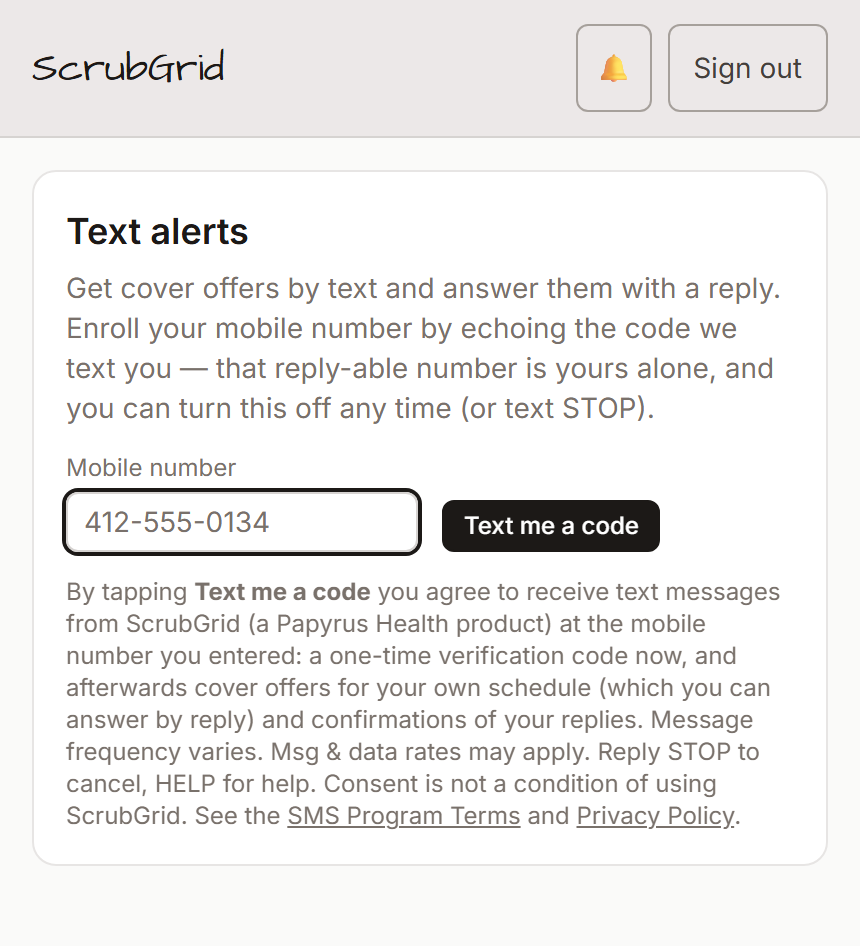
The ScrubGrid Text alerts form — the phone-number field with its consent disclosure. Direct link: scrubgrid.ai/sms-opt-in-text-alerts.png
The disclosure text shown on the form reads, verbatim:
Opt-in with number verification — step by step
- The member signs in and opens their profile’s Text alerts section.
- They enter their own mobile number. The consent statement above is shown directly beneath the field and the Text me a code button.
- They tap Text me a code. ScrubGrid texts a one-time 6-digit code to that number — the only message it will ever send before consent is complete, and it carries “Reply STOP to opt out of texts.”
- They enter the code back into ScrubGrid. That proves the number is theirs and records consent with a timestamp; only then can schedule messages be sent to it.
Earlier profile form (checkbox)
Groups still on the earlier ScrubGrid call application enroll from My Profile instead: they enter their own mobile number and check “Receive SMS notifications”. The consent terms are shown directly beneath the checkbox at the point of opt-in — message frequency varies, message & data rates may apply, reply STOP to unsubscribe or HELP for help, with a link to our Privacy & SMS Terms. Until the profile is saved with the box checked, no texts are sent.
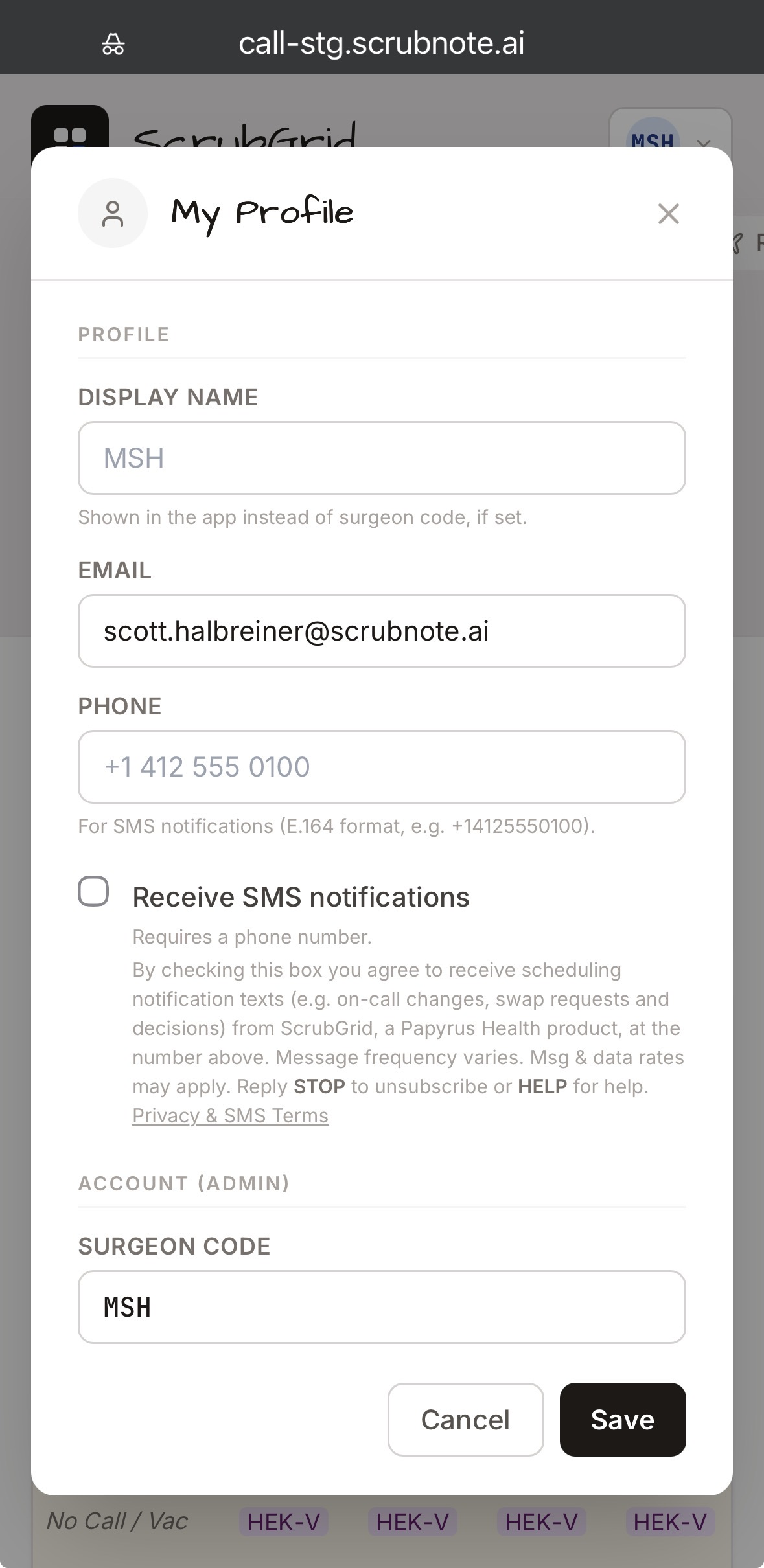
The opt-in control in the earlier My Profile screen. Direct link: scrubgrid.ai/sms-opt-in.png
What we send
Account notifications only — a one-time verification code at enrollment, on-call schedule changes, swap requests and their approval or denial, cover offers the member can answer by reply, and confirmations of their replies. No marketing or promotional messages, ever. Full program terms: Terms of Service, section 4.
Opting out
Reply STOP to any message (we send one final confirmation and then stop), or turn text alerts off in your profile at any time. Full details, including our no-sharing commitment for mobile information, are in the SMS Program Terms and the Privacy Policy.